WordPress Module for Yandex Maps: Projects on Map with ACF and Clustering
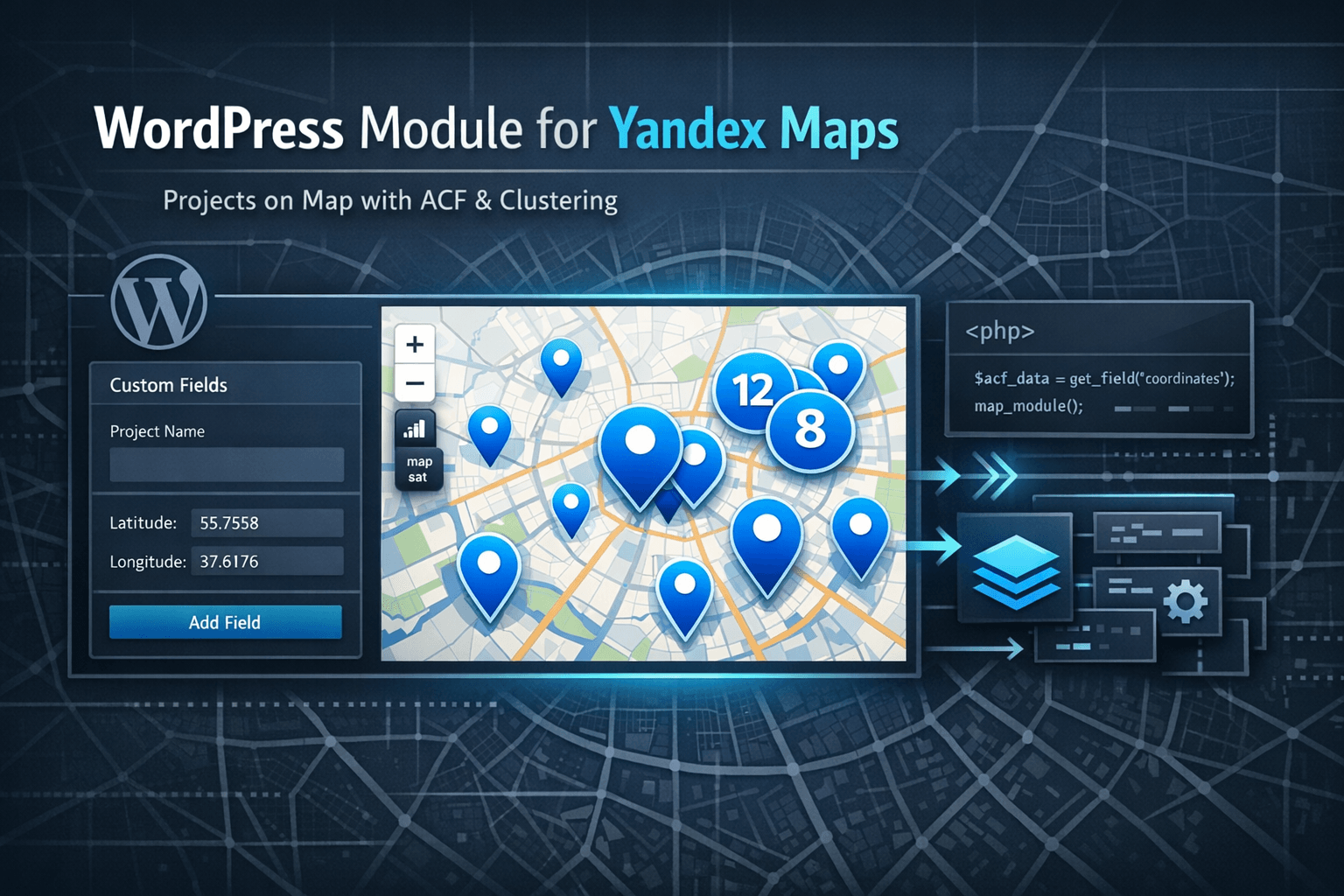
Practical WordPress module: custom post type for projects, ACF fields for coordinates, Yandex Maps integration, marker clustering and responsive design. Ready solution for displaying implemented projects on a map.
Requirements
- WordPress 5.0+
- PHP 7.2+
- ACF (Advanced Custom Fields) plugin
- Yandex Maps API key
WordPress Module for Yandex Maps: Projects on Map with ACF and Clustering
If you need to show implemented projects on a map — for example, installed equipment in different cities — typical solutions are either too complex or don’t provide the needed flexibility. Projects module for WordPress solves this simply: custom post type for projects, ACF fields for coordinates and addresses, Yandex Maps integration with marker clustering. Everything is ready to use, easily portable to another site. (GitHub)
Main advantage: projects don’t have public pages — they’re used only for map display. This is ideal for cases when you need to show locations without creating separate pages for each project.
Task: What Needed to Be Solved
Typical situation: you have a list of implemented projects (for example, installed equipment), and need to show them on a map with information:
- coordinates (latitude/longitude)
- address
- equipment type and model
- project description
At the same time:
- projects should be managed through WordPress admin
- map should automatically group nearby markers (clustering)
- solution should be portable to another site
- if there are no projects — show test data for demonstration
Solution Architecture
The module consists of four main files:
projects.php— custom post type and taxonomy registrationprojects-acf.php— ACF fields for coordinates and project dataprojects-map.php— map functions, script loadingprojects-loader.php— main file that loads everything else
Why This Structure
File separation makes the module:
- clear — each file handles its own task
- portable — can copy the folder and connect to another site
- extensible — easy to add new fields or functions
Step 1: Custom Post Type Registration
File: projects.php
<?php
add_action('init', function(){
    register_post_type('projects', array(
        'labels' => array(
            'name'               => 'Projects',
            'singular_name'      => 'Project',
            'add_new'            => 'Add New',
            'add_new_item'       => 'Add New Project',
            'edit_item'          => 'Edit Project',
            'menu_name'          => 'Projects',
        ),
        'public'             => false, // Projects only for map
        'publicly_queryable' => false, // Can't open separate page
        'show_in_nav_menus'  => false, // Don't show in menu
        'supports'           => ['title', 'editor', 'thumbnail'],
        'show_ui'            => true, // Show in admin
        'has_archive'        => false, // No archive
        'show_in_rest'       => true,
        'menu_icon'          => 'dashicons-location-alt'
    ));
});
Important: 'public' => false means projects don’t have public URLs. They’re used only for the map, which is ideal for locations without separate pages.
Taxonomy Registration for Equipment Types
add_action('init', function(){
    register_taxonomy('project-equipment', ['projects'], [
        'label'            => 'Equipment Type',
        'public'           => false, // Taxonomy not public
        'show_ui'          => true,
        'show_in_rest'     => true,
        'hierarchical'     => true,
        'show_admin_column' => true
    ]);
});
Step 2: ACF Fields for Coordinates and Data
File: projects-acf.php
ACF fields are created programmatically via acf_add_local_field_group(). This is convenient because fields are automatically created when the theme is activated — no need to configure them manually.
<?php
if(function_exists('acf_add_local_field_group')):
    acf_add_local_field_group(array(
        'key' => 'group_projects_fields',
        'title' => 'Project Fields',
        'fields' => array(
            array(
                'key' => 'field_project_latitude',
                'label' => 'Latitude',
                'name' => 'project_latitude',
                'type' => 'text',
                'required' => 1,
                'placeholder' => '55.751574',
            ),
            array(
                'key' => 'field_project_longitude',
                'label' => 'Longitude',
                'name' => 'project_longitude',
                'type' => 'text',
                'required' => 1,
                'placeholder' => '37.573856',
            ),
            array(
                'key' => 'field_project_address',
                'label' => 'Address',
                'name' => 'project_address',
                'type' => 'text',
            ),
            array(
                'key' => 'field_project_equipment_type',
                'label' => 'Equipment Type',
                'name' => 'project_equipment_type',
                'type' => 'text',
            ),
            array(
                'key' => 'field_project_equipment_model',
                'label' => 'Equipment Model',
                'name' => 'project_equipment_model',
                'type' => 'text',
            ),
        ),
        'location' => array(
            array(
                array(
                    'param' => 'post_type',
                    'operator' => '==',
                    'value' => 'projects',
                ),
            ),
        ),
    ));
endif;
Why programmatic field creation:
- Fields are automatically created when theme is activated
- No need to configure them manually in admin
- Easy to port module to another site
Step 3: Function to Get Projects for Map
File: projects.php
/**
 * Get all projects for map
 * @return array Array of projects with coordinates
 */
function get_projects_for_map() {
    $projects = get_posts(array(
        'post_type'      => 'projects',
        'posts_per_page' => -1,
        'post_status'    => 'publish'
    ));

    $projects_data = array();

    foreach ($projects as $project) {
        $latitude = get_field('project_latitude', $project->ID);
        $longitude = get_field('project_longitude', $project->ID);
        $address = get_field('project_address', $project->ID);
        $equipment_type = get_field('project_equipment_type', $project->ID);
        $equipment_model = get_field('project_equipment_model', $project->ID);

        // Skip projects without coordinates
        if (empty($latitude) || empty($longitude)) {
            continue;
        }

        $projects_data[] = array(
            'id'             => $project->ID,
            'title'          => get_the_title($project->ID),
            'latitude'       => floatval($latitude),
            'longitude'      => floatval($longitude),
            'address'        => $address ?: '',
            'equipment_type' => $equipment_type ?: '',
            'equipment_model' => $equipment_model ?: '',
            'description'    => wp_strip_all_tags(get_the_excerpt($project->ID))
        );
    }

    return $projects_data;
}
What the function does:
- Gets all published projects
- Extracts ACF fields (coordinates, address, equipment)
- Skips projects without coordinates
- Returns array ready for JavaScript
Step 4: Loading Yandex Maps and Scripts
File: projects-map.php
/**
 * Load scripts and styles for projects map
 */
function enqueue_projects_map_assets() {
    // Load only on page with map template
    if (is_page_template('template-projects-map.php')) {
        // Get API key from ACF settings
        $yandex_api_key = get_field('yandex_maps_api_key', 'options') ?: '';
        if (empty($yandex_api_key)) {
            $yandex_api_key = 'YOUR_API_KEY'; // Replace with your API key
        }

        // Register Yandex Maps API
        wp_register_script(
            'yandex-maps-api',
            'https://api-maps.yandex.ru/2.1/?apikey=' . esc_attr($yandex_api_key) . '&lang=ru_RU',
            array(),
            '2.1',
            false
        );

        // Get project data
        $projects_data = get_projects_map_data();

        // Pass data to JavaScript
        wp_localize_script('yandex-maps-api', 'projectsMapData', array(
            'projects' => $projects_data
        ));

        // Enqueue scripts
        wp_enqueue_script('yandex-maps-api');
        wp_enqueue_script(
            'projects-map-js',
            get_template_directory_uri() . '/inc/modules/projects/assets/js/projects-map.js',
            array('yandex-maps-api'),
            '1.0.0',
            true
        );

        // Enqueue styles
        wp_enqueue_style(
            'projects-map-css',
            get_template_directory_uri() . '/inc/modules/projects/assets/css/projects-map.css',
            array(),
            '1.0.0'
        );
    }
}
add_action('wp_enqueue_scripts', 'enqueue_projects_map_assets');
Important points:
- Scripts load only on page with map template
- API key comes from ACF settings (can be configured in admin)
- Project data is passed to JavaScript via
wp_localize_script()
Step 5: JavaScript for Map Initialization
File: assets/js/projects-map.js
(function() {
'use strict';
document.addEventListener('DOMContentLoaded', function() {
if (typeof ymaps !== 'undefined' && typeof projectsMapData !== 'undefined') {
ymaps.ready(function() {
var projectsData = projectsMapData.projects || [];
// Create map
var myMap = new ymaps.Map('yandex-map', {
center: [55.751574, 37.573856], // Moscow by default
zoom: 5,
controls: ['zoomControl', 'typeSelector', 'fullscreenControl']
});
// Create clusters for markers
var clusterer = new ymaps.Clusterer({
preset: 'islands#invertedBlueClusterIcons',
groupByCoordinates: false,
clusterDisableClickZoom: true,
clusterHideIconOnBalloonOpen: false,
geoObjectHideIconOnBalloonOpen: false
});
// Add markers for each project
projectsData.forEach(function(project) {
var placemark = new ymaps.Placemark(
[project.latitude, project.longitude],
{
balloonContentHeader: '<strong>' + escapeHtml(project.title) + '</strong>',
balloonContentBody:
(project.equipment_type ? '<p><strong>Equipment Type:</strong> ' + escapeHtml(project.equipment_type) + '</p>' : '') +
(project.equipment_model ? '<p><strong>Model:</strong> ' + escapeHtml(project.equipment_model) + '</p>' : '') +
(project.address ? '<p><strong>Address:</strong> ' + escapeHtml(project.address) + '</p>' : '') +
(project.description ? '<p>' + escapeHtml(project.description) + '</p>' : ''),
hintContent: escapeHtml(project.title)
},
{
preset: 'islands#blueIcon'
}
);
clusterer.add(placemark);
});
myMap.geoObjects.add(clusterer);
// Set map bounds to show all markers
if (projectsData && projectsData.length > 0) {
myMap.setBounds(clusterer.getBounds(), {
checkZoomRange: true,
duration: 300
});
}
});
}
});
// Function to escape HTML (XSS protection)
function escapeHtml(text) {
if (!text) return '';
var map = {
'&': '&',
'<': '<',
'>': '>',
'"': '"',
"'": '''
};
return text.replace(/[&<>"']/g, function(m) { return map[m]; });
}
})();What the code does:
- Initializes Yandex Maps
- Creates clusters for grouping nearby markers
- Adds markers for each project with balloons
- Automatically adjusts map bounds to show all markers
- Escapes HTML for XSS protection
Step 6: Fallback Data for Demonstration
If there are no projects in the database, the module automatically uses test data. This is convenient for demonstrating functionality.
File: projects-map.php
/**
 * Get project data for map (with fallback to test data)
 */
function get_projects_map_data() {
    // Try to get data from database
    if (function_exists('get_projects_for_map')) {
        $projects_data = get_projects_for_map();
        if (!empty($projects_data)) {
            return $projects_data;
        }
    }

    // If no projects, return test data
    return array(
        array(
            'id' => 1,
            'title' => 'Cremator KD-300',
            'latitude' => 55.751574,
            'longitude' => 37.573856,
            'address' => 'Moscow, Red Square, 1',
            'equipment_type' => 'Cremator',
            'equipment_model' => 'KD-300',
            'description' => 'Cremator KD-300 installed for waste disposal.'
        ),
        // ... other test projects
    );
}
Why this is needed:
- Can show map to client before adding real projects
- Convenient for testing and development
- No need to create test records in database
Usage: Creating Page with Map
1. Create Page Template
File: template-projects-map.php (in theme root)
<?php
/**
 * Template Name: Projects Map
 */

get_header();
?>

<div class="projects-map-page">
    <?php
    // Output header and description from ACF
    $header = get_field('header');
    $description = get_field('description');

    if ($header) {
        echo '<h1>' . esc_html($header) . '</h1>';
    }

    if ($description) {
        echo '<div class="projects-map-description">' . wp_kses_post($description) . '</div>';
    }

    // Output map
    if (function_exists('render_projects_map')) {
        render_projects_map();
    }
    ?>
</div>

<?php
get_footer();
2. Create Page in WordPress
- Go to Pages → Add New
- Title: “Implemented Projects”
- Select template: Projects Map
- Fill ACF fields (header, description)
- Publish page
3. Add Projects
- Go to Projects → Add New
- Fill required fields:
- Project Title: e.g., “Cremator KD-300”
- Latitude:
55.751574 - Longitude:
37.573856 - Address: “Moscow, Red Square, 1”
- Equipment Type: “Cremator”
- Equipment Model: “KD-300”
- Publish project
Porting Module to Another Site
The module is easily portable to another site:
-
Copy module folder
cp -r projects /path/to/new/theme/inc/modules/ -
Connect module in
functions.phprequire_once get_template_directory() . '/inc/modules/projects/projects-loader.php'; -
Install ACF (if not already installed)
-
Configure API key
- Get key at developer.tech.yandex.ru
- Set in theme settings: Content Settings → Yandex Maps Settings
-
Create page template (see “Usage” section)
-
Create page with map and add projects
Customization
Changing Map Appearance
File: assets/css/projects-map.css
.projects-map__container {
    width: 100%;
    height: 600px;
    margin: 20px 0;
}

.projects-map__map {
    width: 100%;
    height: 100%;
    border-radius: 8px;
    box-shadow: 0 2px 10px rgba(0,0,0,0.1);
}
Changing Map Settings
File: assets/js/projects-map.js
// Change map center
center: [59.934280, 30.335098], // Saint Petersburg

// Change zoom
zoom: 10,

// Change marker icons
preset: 'islands#redIcon'
Adding Additional Fields
- Add field in ACF (
projects-acf.php) - Add field in
get_projects_for_map()function (projects.php) - Use field in JavaScript (
assets/js/projects-map.js)
Security
The module includes basic security measures:
- ✅ Access rights check — all functions check access rights
- ✅ Data escaping — all output data is escaped via
esc_html(),esc_attr(),wp_kses_post() - ✅ Coordinate validation — coordinate correctness check before adding to map
- ✅ XSS protection — HTML escaping in JavaScript via
escapeHtml()function
Common Problems and Solutions
Problem: Map doesn’t display
- Solution: Check Yandex Maps API key, check browser console for errors
Problem: Markers don’t appear on map
- Solution: Make sure projects are published and have coordinates
Problem: ACF fields don’t display
- Solution: Make sure ACF is installed and activated
Problem: Scripts don’t load
- Solution: Check that page uses
template-projects-map.phptemplate
Summary
WordPress projects module — ready solution for displaying locations on a map:
- ✅ Custom post type for managing projects
- ✅ ACF fields for coordinates and data
- ✅ Yandex Maps integration with marker clustering
- ✅ Responsive design
- ✅ Fallback data for demonstration
- ✅ Easy port to another site
If you need to show implemented projects on a map without creating separate pages for each project — this module solves the task simply and effectively.
Links
- WordPress Module for Yandex Maps on GitHub — project repository
- Yandex Maps API Documentation — official documentation
- ACF (Advanced Custom Fields) — custom fields plugin
- Get Yandex Maps API Key — registration and key retrieval
Related articles

Комментарии